Budget App Without Bank Connection: Which Ones Work Without Linking Your Account
Search for a budget app, and most of the top results want your bank login before you’ve entered a single number. Three of the 10 apps I tested sent me to a “connect your account” screen during setup. I didn’t link anything, in any of them.
So here’s the question I actually tested: which budget apps work fully without a bank connection, and what do you still get?

The short answer
From my test of 10 popular apps on iPhone (US App Store, November 2026):
| App | Works without a bank? | Free after the trial? | What kind of app |
|---|---|---|---|
| Goodbudget | Yes, bank sync is Premium only | Yes, forever (20 envelopes) | Envelope budget |
| EveryDollar | Yes, in the free version | Yes, manual plan (not obvious) | Monthly plan |
| Monefy | Yes | Yes, with ads | Fast spending tracker |
| Budget app | Yes | Yes, budgets are in Pro | Spending tracker |
| GoodMoney | Yes, bank is optional | Yes, on one device | Tracker with bills |
| Finro | Yes | No, 3-day trial | Tracker |
| Budget Bestie | Yes | No, 3-day trial | Envelopes, cash stuffing |
| YNAB | Manual accounts exist, but it pushes you to link | No, 30-day trial | Full budgeting system |
| Monarch | Manual accounts at the bottom of the list | No, 7-day trial | Dashboard for everything |
| Copilot | A manual “Cash” account, last on the screen | No, 1-month trial | Automatic tracker |
Prices, setup and what reviewers complain about for each one are in my full review of 10 budget apps and the individual app reviews.
Budget app vs. spending tracker: which do you need?
“Budget app” is used for two different things:
- A spending tracker records what you spent and shows it by category. Monefy and Budget app are great at this, and none of it needs your bank.
- A budget planner helps you decide how much goes where before you spend it. Without a bank connection, the free options from my test are Goodbudget (envelopes) and EveryDollar’s free version (a monthly plan).
If you’re not sure which one you need, budget planner vs. tracker explains the difference, and the 1-minute quiz gives you a pick.
The free ones, up close
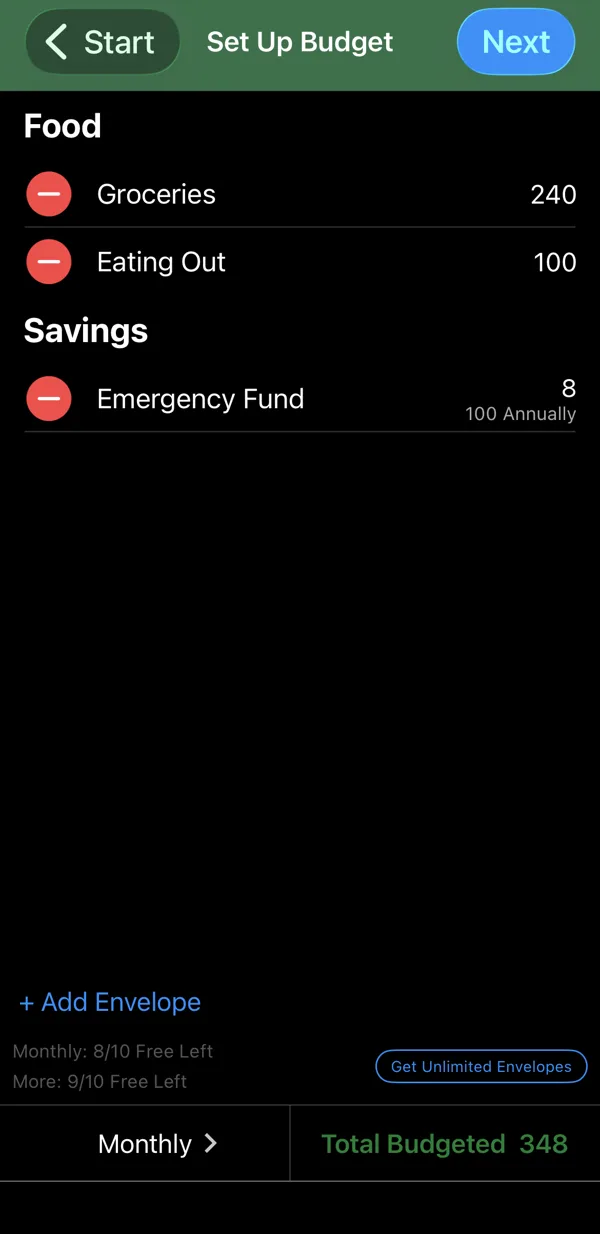
Goodbudget. Free forever with 20 envelopes (10 monthly, 10 annual), one account and two devices. You give each envelope its money when you get paid and spend from it. Bank sync is only in Premium ($9.99 a month or $79.99 a year), so the free plan is manual by design. The catch: the envelope method takes a bit of learning (envelope budgeting apps).
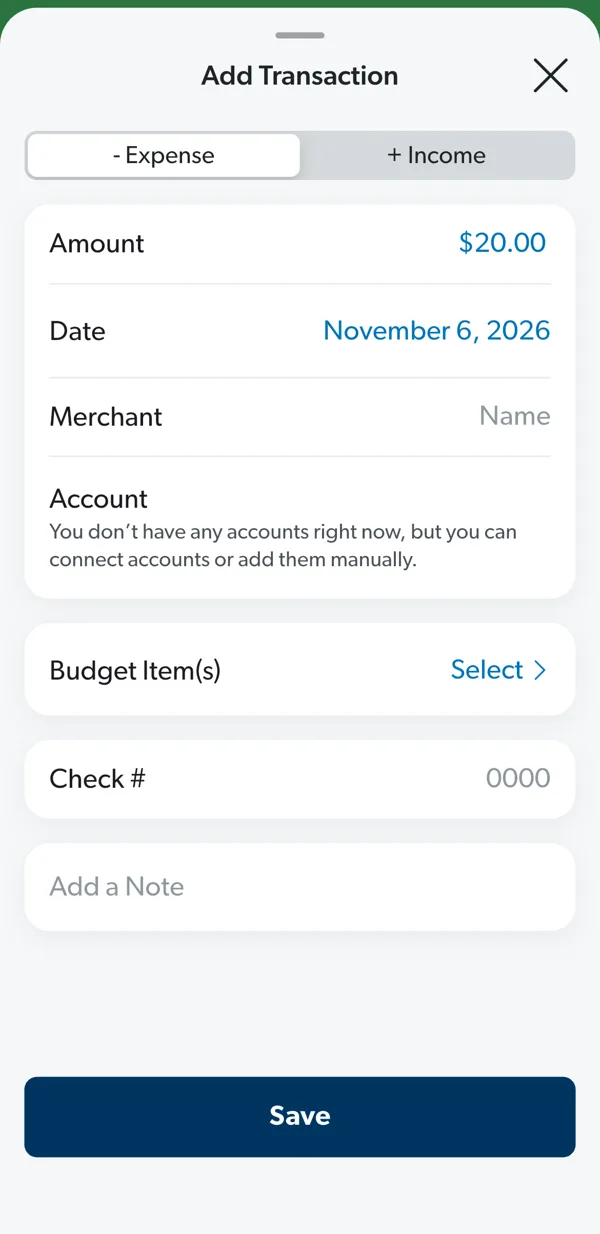
EveryDollar (free version). A monthly plan where you give every dollar a job. Bank connection is a Premium feature. In my test, though, I ended up on a 14-day Premium trial and had to cancel it myself, and getting to my first expense took about 15 questions and a long form.
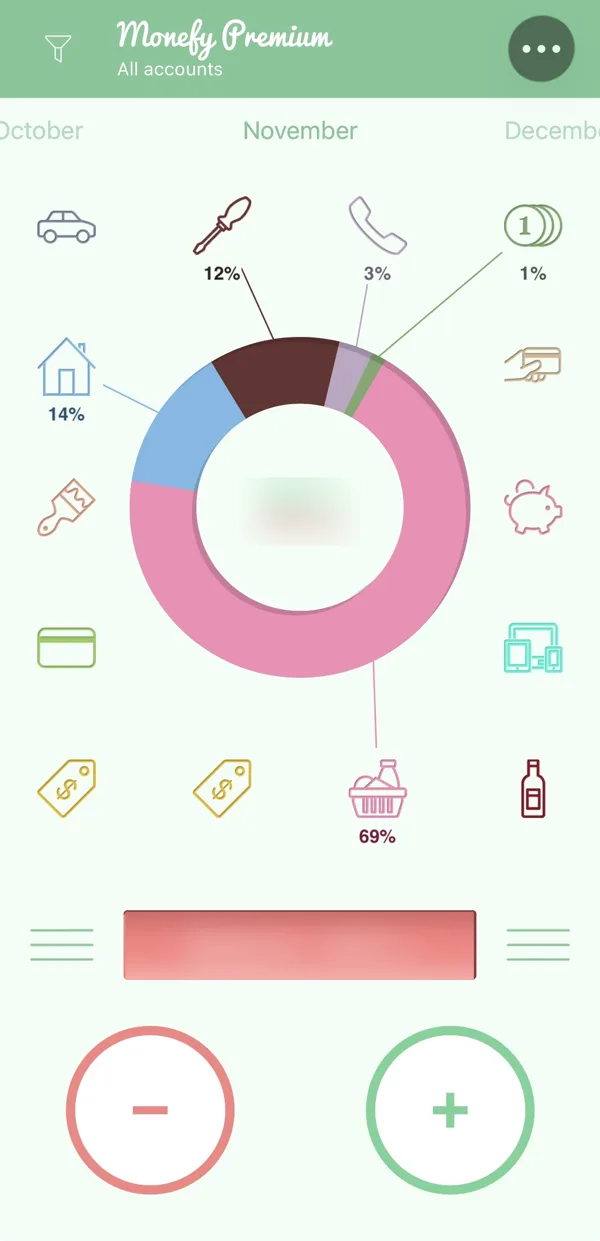
Monefy. Not a planner, but the fastest way to log spending I found: minus, amount, category. Free with ads. Pair it with a simple plan on paper or a weekly spending limit and you have a working budget without any bank link.
Budget app and GoodMoney. Both log expenses for free without a bank. In Budget app, budgets themselves are part of Pro ($9.99 a year or $19.99 once). GoodMoney keeps everything on your phone; bank connection is in its paid Plus plan.
The big three: can you skip the bank?
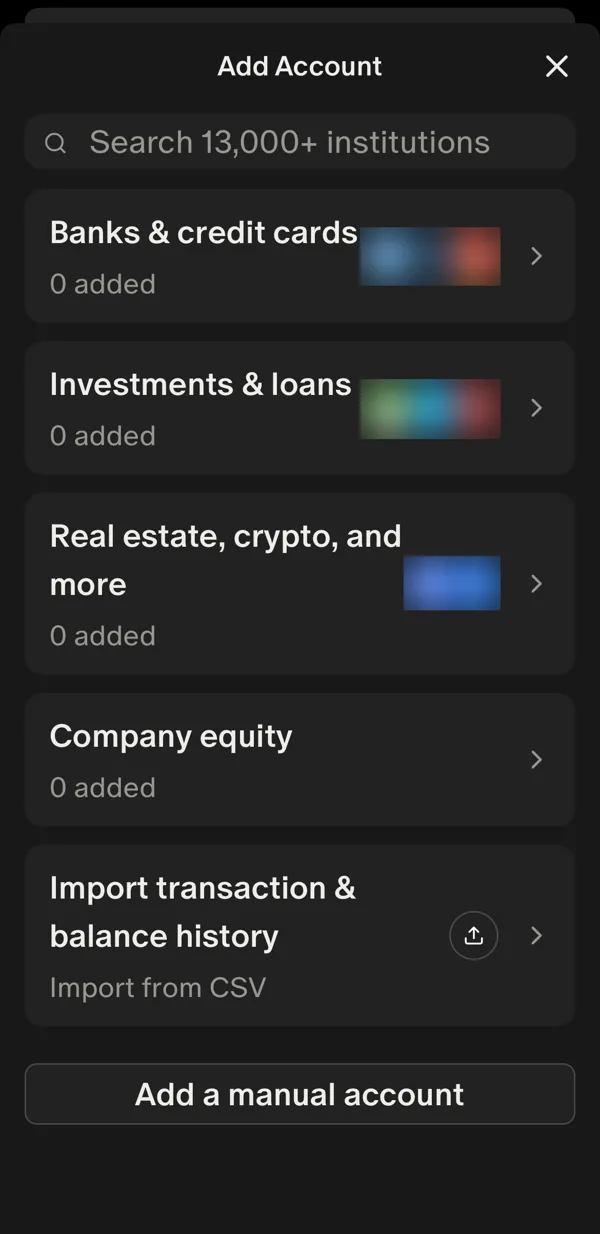
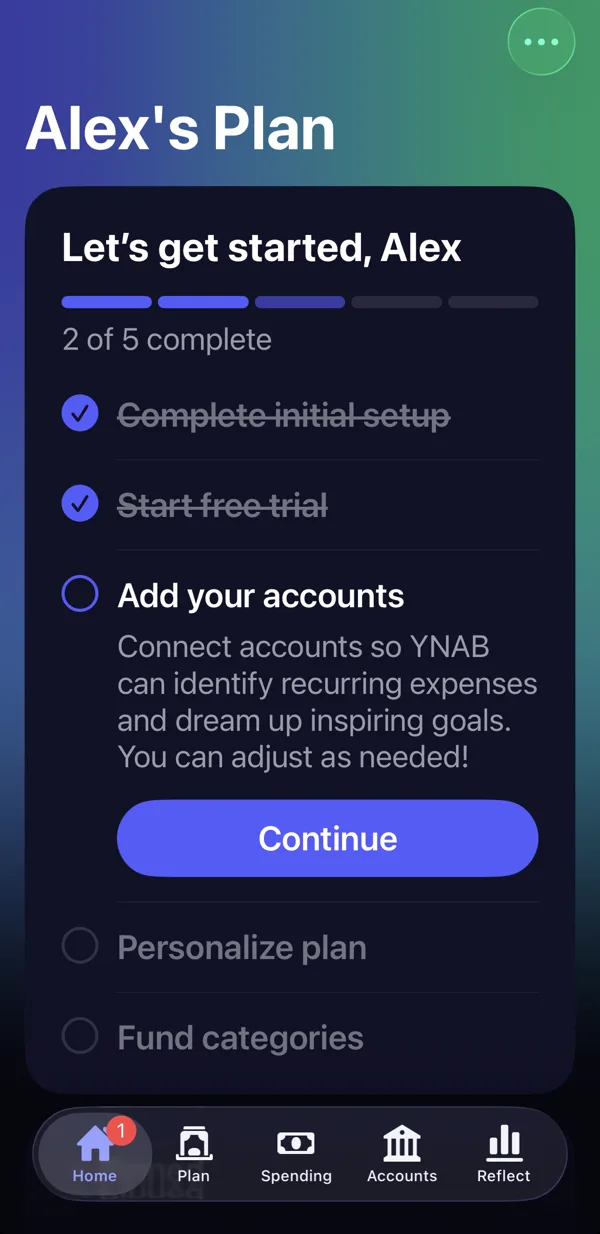
YNAB, Monarch and Copilot are built around linked accounts. All three technically let you add a manual account, but in my test:
- YNAB walked me through about 15 screens and then asked for my bank.
- Monarch’s main button after setup was “Add account”, meaning my bank. Manual accounts are at the bottom of the list.
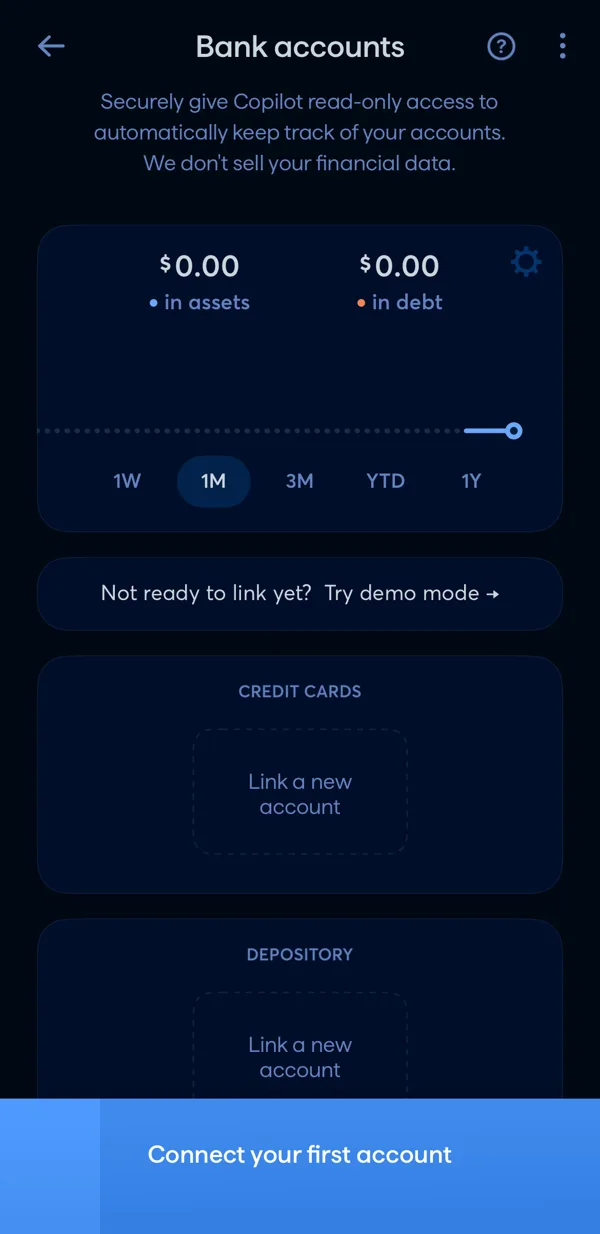
- Copilot opened to empty “Link a new account” boxes. A manual “Cash” account is the last card on a long screen.
If you’re paying $95 to $109 a year and not linking a bank, you’re paying for a lot you won’t use. More on that in free YNAB alternatives.
Why people skip the bank connection
It breaks. In recent 1–3 star App Store reviews of bank-connected apps, broken connections and duplicate transactions are among the most common complaints. Then you’re fixing the app instead of budgeting.
You’d rather not share your login. Large apps use read-only connections through data providers, but whether you’re comfortable with that is your call. A manual app avoids the question entirely.
It misses cash. Tips, cash purchases, money a friend paid you back. A bank feed doesn’t see any of it.
Typing it makes you notice it. Entering “groceries 86” yourself takes a few seconds, and you remember it. That small moment of attention is most of the benefit (why logging by hand sticks).
What you give up
Being honest: a manual app won’t fill itself in. If you forget to log a purchase, it isn’t there. And it won’t show your bank balance on its own; you enter your starting balance yourself. For most people starting out, that trade is worth it. The point of the first few weeks isn’t a perfect ledger, it’s finally seeing where the money goes.
What to look for in a manual budget or spending tracker app
- Logging in a few seconds. If adding an expense takes more than three taps or one short line, you’ll skip it on busy days.
- Separate accounts. Cash, debit card, credit card. It keeps balances honest and makes the weekly check easy.
- Categories you can change later. Start with the defaults; rename and merge once you know what you actually spend on.
- A simple monthly view. Spending by category, month by month.
- An export. A CSV export means your data isn’t stuck in one app forever.
How to budget without linking your bank
- Enter your real balances once. Checking, cash, credit card. The app can’t see them, so start from the right numbers.
- List your bills. Rent, phone, subscriptions, minimum debt payments, with due dates (bill tracker).
- Log each purchase right after you pay. At the register, in the parking lot, at the pump. One line is enough: “groceries 86”. Evening is where entries get lost.
- Check one balance a week. Compare the app with your bank app. If they’re off, look for the purchase you missed; you’ll usually remember it.
- Don’t fix your spending in week one. Just log. Changing things comes after you know what’s going on.
- Spend from a number, not a feeling. Money left after bills, divided by the weeks or days until your next paycheck. The weekly spending limit calculator does the math.
The bottom line
You don’t need to link your bank to budget. If you want a free planner, start with Goodbudget or EveryDollar’s free version. If you mostly want to see where money goes, Monefy or Budget app will do it in seconds per expense. Skip the big three unless you actually want everything connected.
I’m also building my own app for people who don’t link a bank: accounts with your real balances, fast logging, and a daily budget until your next paycheck.
Prices checked in November 2026 on the US App Store. This article shares my own experience. It isn’t financial advice.
Frequently asked questions
Is there a budget app that doesn't connect to your bank?
Yes. In my test of 10 apps, Monefy, Budget app, Goodbudget, EveryDollar (free version), GoodMoney, Finro and Budget Bestie all work without linking a bank. Monefy, Budget app, Goodbudget, EveryDollar's free version and GoodMoney are free; Finro and Budget Bestie are paid after a short trial.
Can I use YNAB, Monarch or Copilot without linking my bank?
Technically yes: all three let you add manual accounts. But in my test, each one sent me to a bank connection screen during setup, and the manual option was easy to miss. If you don't want to link a bank, an app built for manual entry is less friction.
Which free budget app doesn't need a bank account?
Goodbudget's free plan has 20 envelopes and doesn't expire, with bank sync only in Premium. EveryDollar's free version is a manual monthly plan. Monefy is free with ads and is the fastest for logging, but it's a tracker rather than a planner.
Is there a spending tracker app that doesn't connect to your bank?
Yes. Monefy, Budget app, GoodMoney, Finro and the free versions of Goodbudget and EveryDollar all let you log spending without a bank connection. You type or tap in each expense yourself.
Isn't manual spending tracking too much work?
With a good app, logging one expense takes a few seconds. Most people make a handful of purchases a day, so it's usually under a minute in total. The hard part isn't the time, it's remembering, which is why logging right after you pay works best.
How do I track cash spending?
The same way as card spending: log it when you pay. Many apps let you keep a separate Cash account so your cash and card balances don't mix. Bank-connected apps can't see cash at all.
How do I budget if the app can't see my bank balance?
Enter your current balance once when you start, log each purchase right after you pay, and once a week compare the balance in the app with your bank app. If they don't match, find the purchase you missed.
Keep reading
 The Simplest Free Budget App: What "Simple" Actually Means (I Tested 10)
 Free Expense Tracker App: What Actually Matters (I Tested 10)
 Free YNAB Alternatives: What You Get Without Paying $109 a Year
See all 10 budget apps compared · Which app fits you? 1-minute quiz · All articles
Want a simpler budget app?
One email when the app is live on the App Store. No spam.
This article shares my own experience. It isn't financial advice.