Copilot Review: What It's Like to Actually Use It
In the App Store as “Copilot: Track & Budget Money” by Copilot Money, Inc.
My verdict
Built for linking your bank. If you won’t, it’s not for you.
Best for: iPhone and Mac users who want automatic, beautiful tracking of linked accounts.
What's free
Nothing after the trial. A manual "Cash" account exists – it’s the last card on a long screen.
My first 10 minutes
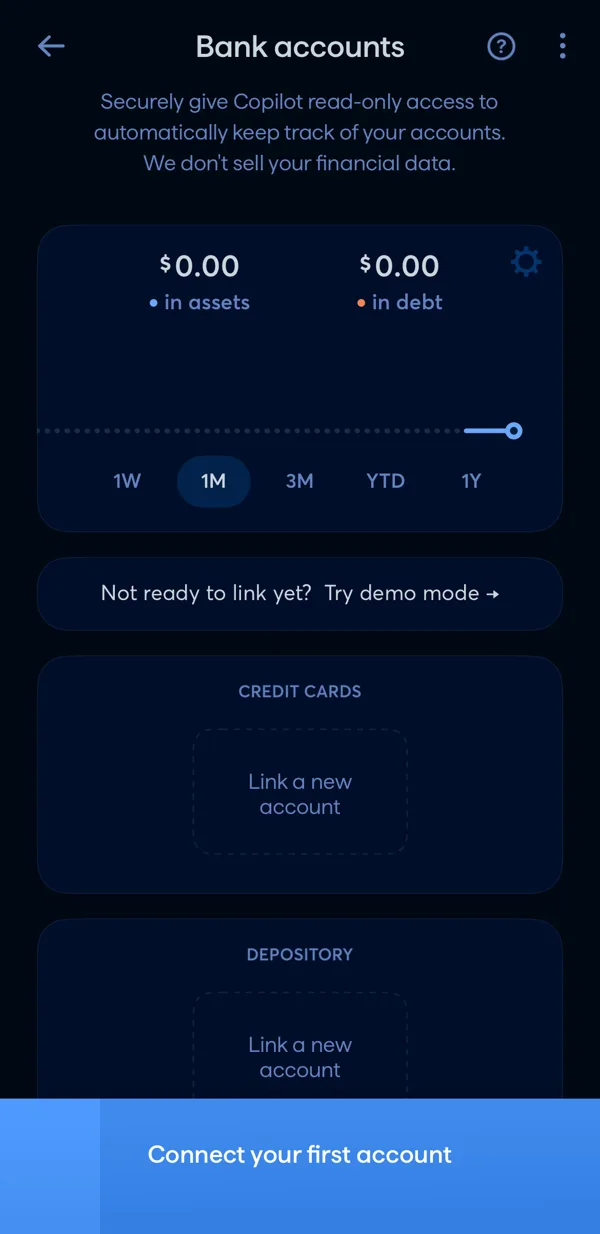
Sign-up, Face ID and two-factor setup, then a screen of empty "Link a new account" boxes with a big "Connect your first account" button. There’s a Demo Mode on the first screen if you just want to look around.
What reviewers complain about
Price, bank connections breaking, bugs and slow support. Some reviewers also say it asks for a rating too often.
Copilot alternatives
 MonarchCouples and people with many accounts and investments who want one dashboard.Free: No – 7-day trial
 YNABPeople ready to learn a full system and pay for it.Free: No – 30-day trial
 MonefyPeople who want the fastest possible way to log spending, every day.Free: Yes, with ads
Copilot compared
Not sure Copilot is the one? Six quick questions point you to the app that fits.
Frequently asked questions
Is Copilot free?
No – 1-month trial. Nothing after the trial. A manual "Cash" account exists – it’s the last card on a long screen.
How much does Copilot cost?
$13/mo or $95/yr (US App Store, checked November 5, 2026).
Does Copilot need a bank connection?
First thing it asks.
Is Copilot on Android?
As of November 2026 I couldn't find an Android version – it's on iPhone.
See Copilot next to the other 9 apps · Related guide: Tracking spending without a bank · Copilot on the App Store
Looking for something simpler?
Disclosure: I'm building my own budget app. It isn't in the App Store yet and isn't ranked here.
Log expenses in seconds, no bank, free forever for the basics – plus a daily budget until your next paycheck. See what it will do or try the free weekly spending limit calculator.
Get it first
One email when the app is live on the App Store. No spam.
My own experience with Copilot, not financial advice. I'm not paid by any app listed. Prices change – check the App Store before you subscribe.